 teamagogo
Is anyone actually here to open?
Know before the doors do.
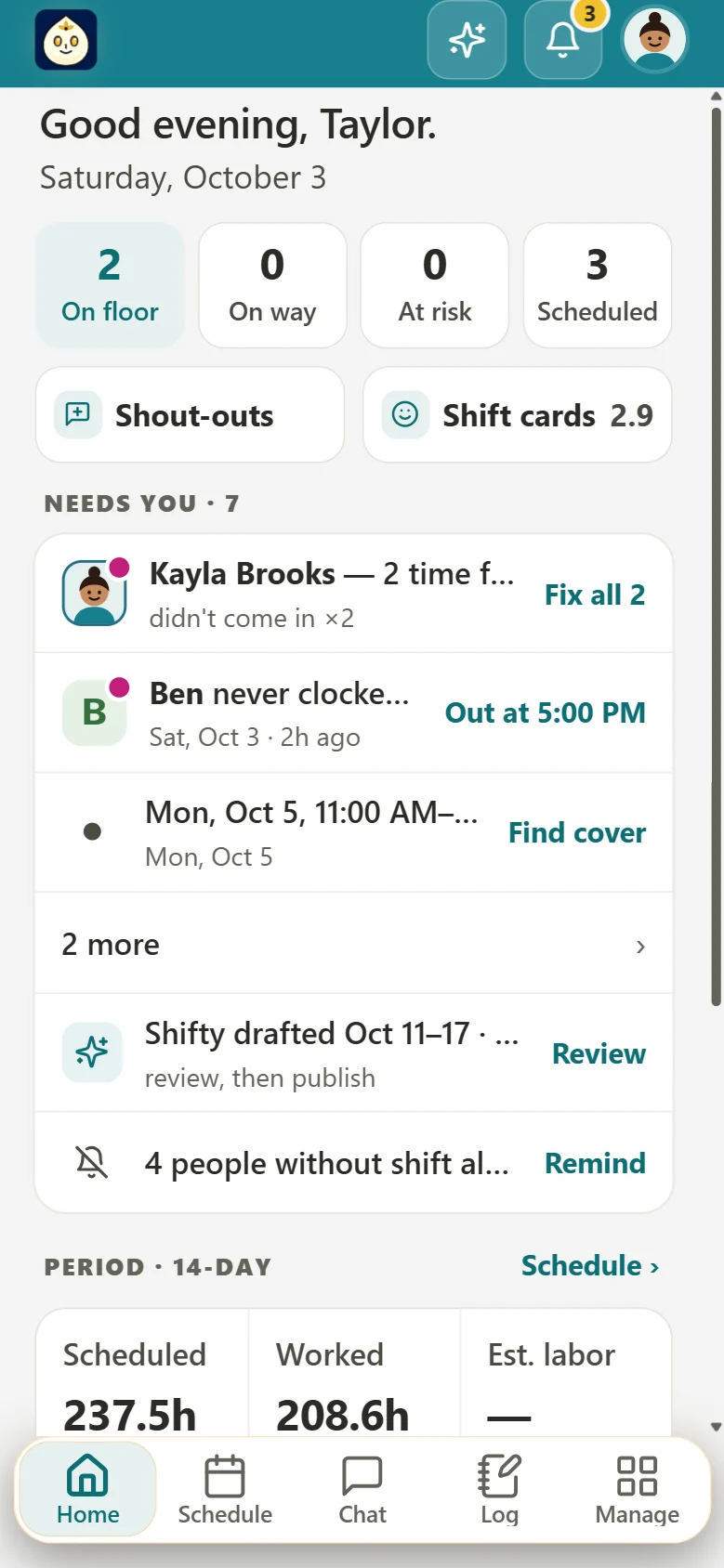
Openers tap On my way when they're headed in, and you get a ping. If nobody clocks in, a no-show alert reaches you. Who's working now is always one tap away.
On my wayNo-show alerts
Early openers, short shifts and baristas whose classes change every semester. Teamagogo keeps a small café team scheduled, on time and thanked, from one app on everyone's phone.
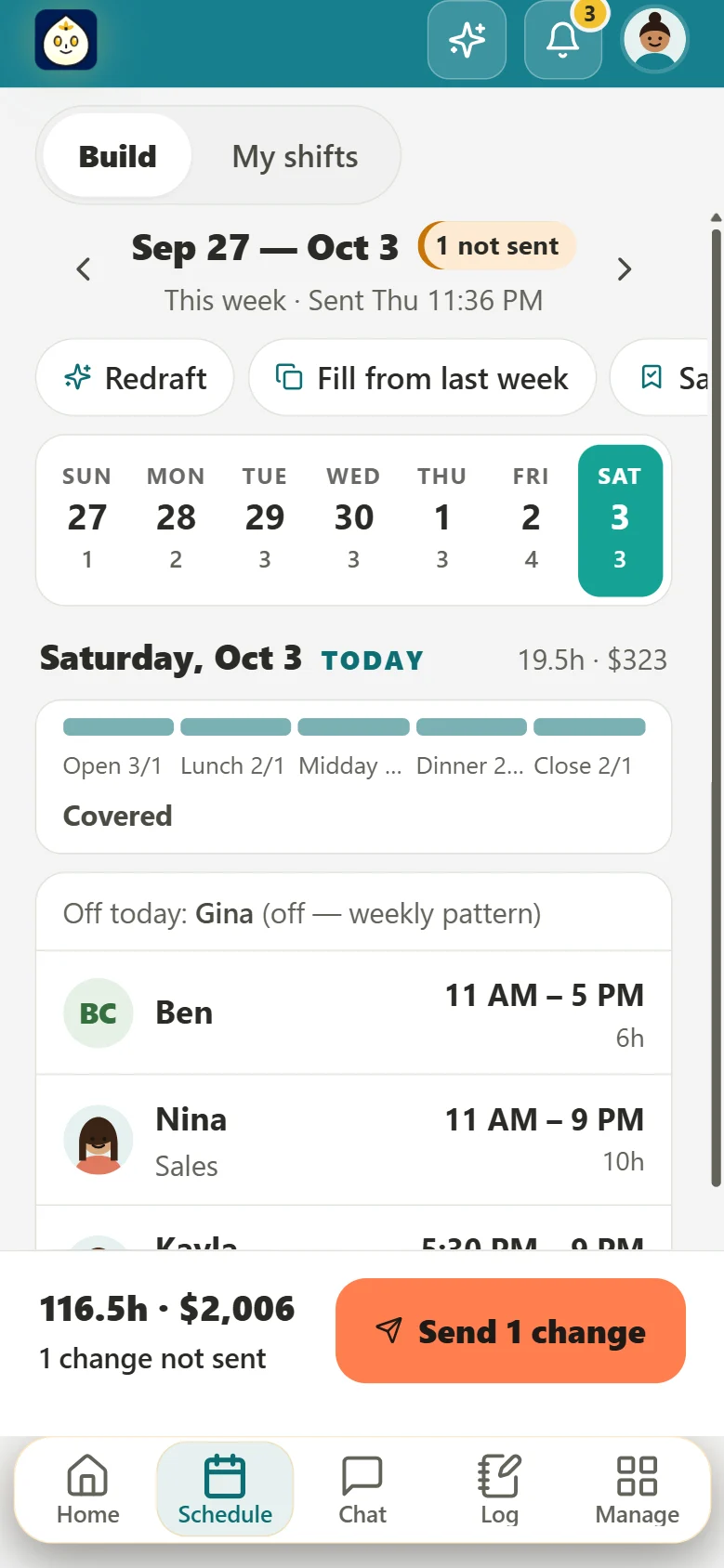
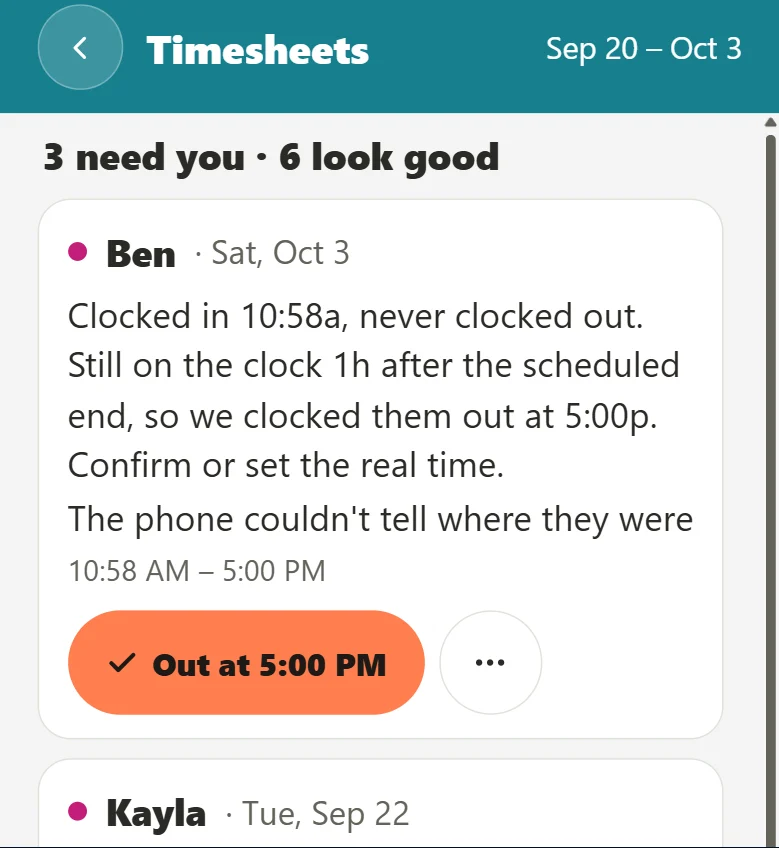
Real Teamagogo screens. The people and the store are examples.
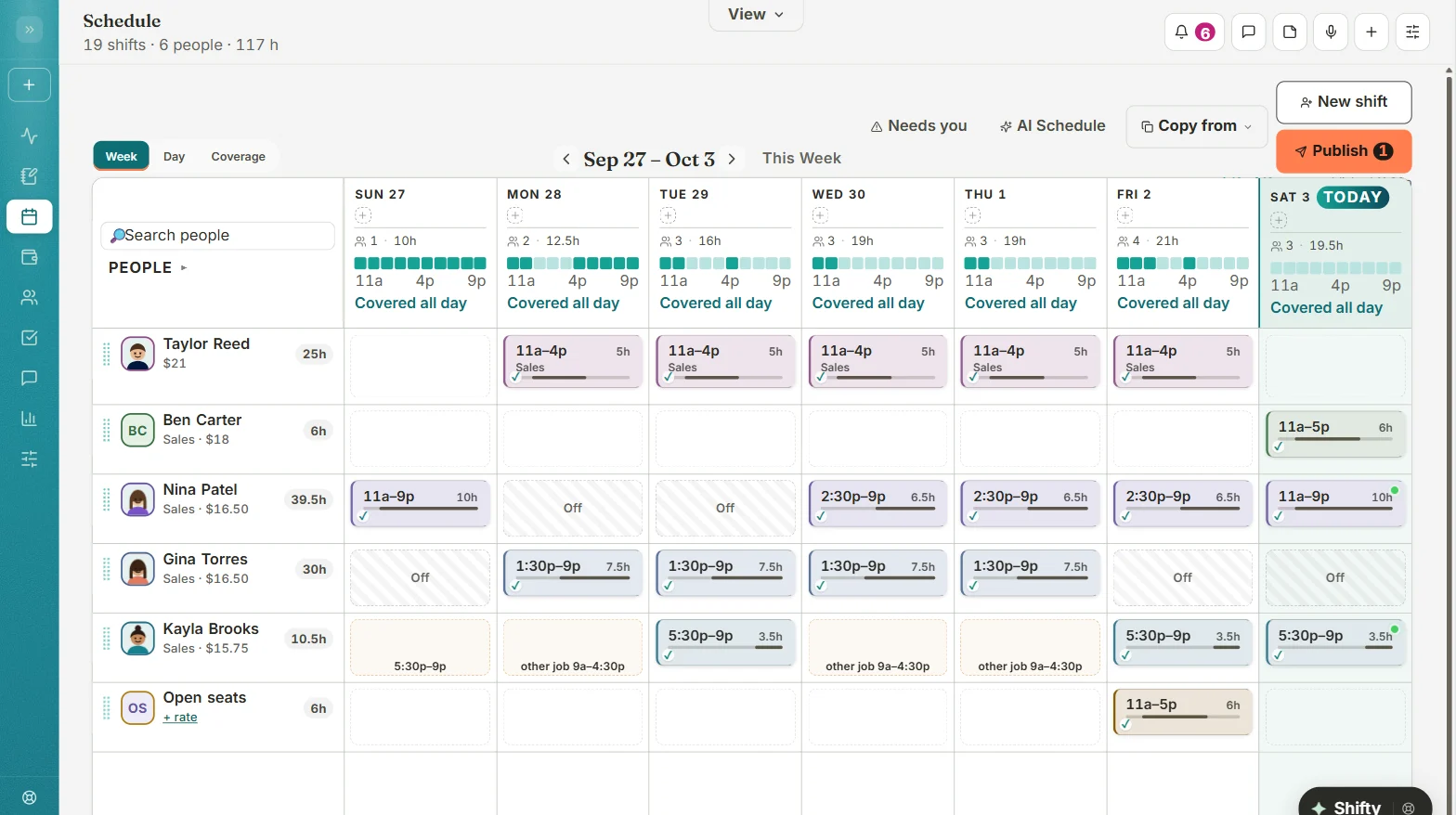
When one of six people doesn't show, the whole morning feels it. Here's how Teamagogo helps with the café problems owners told us about.
Is anyone actually here to open?
Openers tap On my way when they're headed in, and you get a ping. If nobody clocks in, a no-show alert reaches you. Who's working now is always one tap away.
Did they do the opening list, or just say they did?
Grinders dialed in, pastry case stocked, milk dated. Checklists with photo proof, logged to the day so you can check from home.
Her classes changed again. So did my whole week.
Weekly patterns plus rules in plain words, like "every other weekend" or "classes Mon and Wed 6–9". Approve changes before they count. Shifty schedules around them.
Four-hour shifts and a group text for every swap.
One-tap shift times for Open, Mid and Close. Swaps stay with the original person until you approve. Open shifts go to whoever's free and qualified, and the first yes wins.
There are six of us. I'm not spending my day off on a schedule.
Copy last week, or let Shifty draft it with a reason for every pick. Build it on your phone and see labor cost as you go. Nothing goes out until you press Send.
Forgot to clock out. Again.
Reminders first, then an automatic clock-out you can reopen. The clock-in button only shows when they're allowed to punch, and punches save even when the Wi-Fi drops.
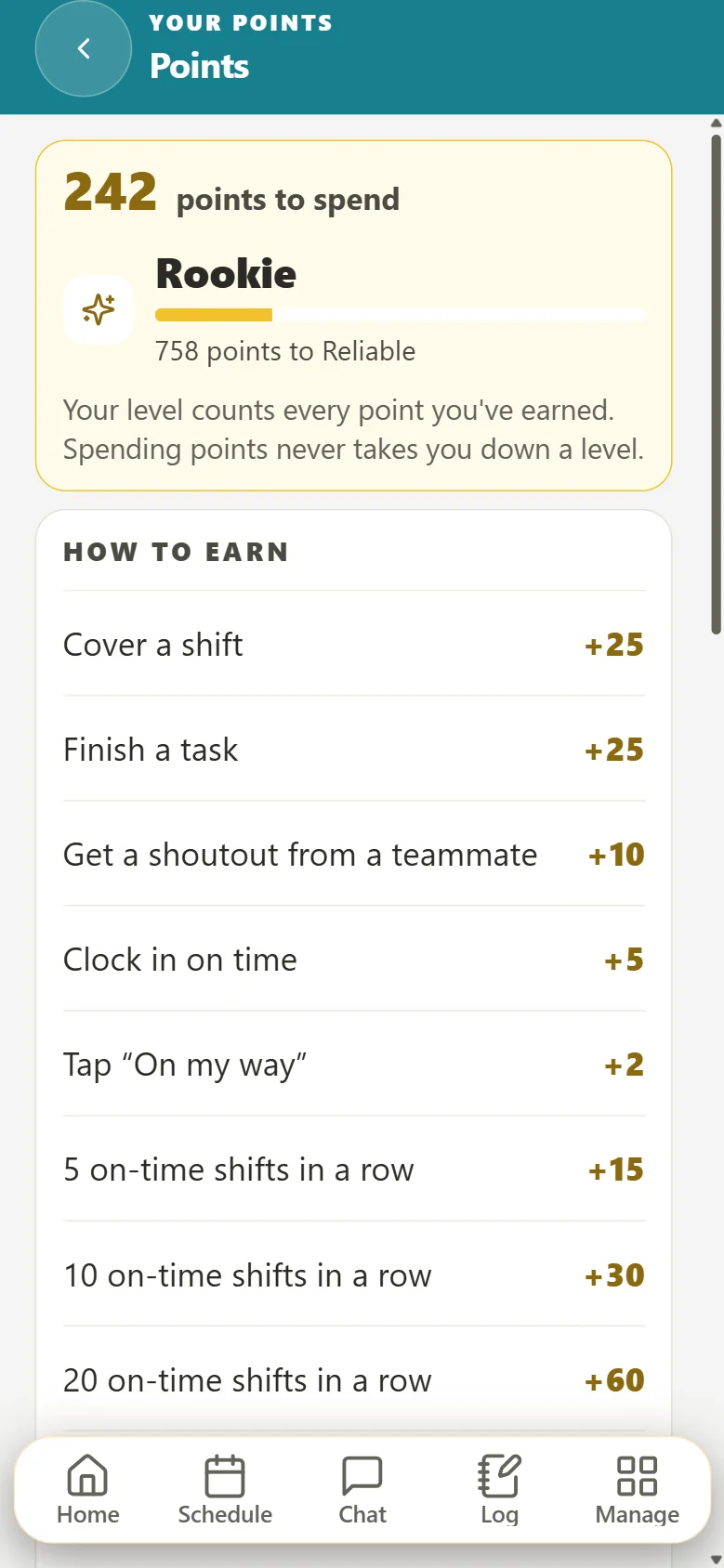
The opener who's never late. The barista who stayed for the after-school rush. Teamagogo makes noticing them part of the day. You pick the rewards, from a free drink to a paid day off. Points are never taken away.
Twenty opens in a row, on time, every one. You make my mornings.
Everyone picks English, Spanish, Portuguese or Chinese for themselves. Alerts and Shifty's answers come in that language too.
Group chat and direct messages, in one place with the schedule.
"Oat milk delivery moved to Thursday." For whoever's on next, typed or spoken.
Expiry warnings, and an option to keep someone off the schedule until it's renewed.
Bring your team over from another app or a photo of a paper schedule, with a preview first.
A side-by-side for small teams, including the things Homebase does that we don't yet.
How Teamagogo compares for coffee shops and small food businesses.
How Teamagogo compares for coffee shops, with the time clock and tasks in one price.
One plan for a small café instead of three hubs, with the honest list of what Connecteam does more of.
Free tools: Tip pool calculator · Overtime calculator · Meal and rest break rules by state
Yes. Each person sets a weekly pattern plus rules in plain words, like "classes Mon and Wed 6–9". You can approve changes before they count. Tell Shifty a standing note, like "Maria never closes on Sundays", and it remembers it in future drafts.
Yes. Enter the day's tips and Teamagogo splits the pool. Tip declarations and tip-outs are kept with the hours, and each person sees their own tips on their phone. Tips don't come in from your register automatically yet.
Yes. Each person gets a PIN on a shared tablet. There's also a locked kiosk mode, or people can clock in on their own phone at a geofenced spot. If the café Wi-Fi drops, the punch saves with the real time and goes through when it's back.
Teamagogo installs from our website onto any phone's home screen, with its own icon and alerts. There's no App Store or Google Play download yet. It works the same on iPhone and Android.
No. Teamagogo starts from a simple setup and stays out of the way. Build the week on your phone in a few minutes, or let Shifty draft it. Turn on only what you need.
Free for up to 10 people. No card, no contract.
Create your account